Built solo. Used daily. Free.

Stop guessing where it all went.

Budgetly is a free, privacy-first expense tracker and monthly budget management app for Android. Built to replace clumsy spreadsheets and Notion templates, it lets you log daily expenses and stay on target in just 2 seconds—offline, private, and 100% free.

Free, forever · Android · No bank link, no account required to try it

Why I built this app

"I was struggling to manage daily spending with spreadsheets and slow tools."

I tried multiple tools like Google Sheets and custom Notion templates to manage my daily expenses against my monthly budget, but none of them fit my needs—either they were too slow on mobile or required too much setup.

As a mobile developer, I decided to build a dedicated app for myself to track money effortlessly. Budgetly is designed to be fast, offline-friendly, and completely private—so logging an expense takes just 2 seconds.

The Old Way
  • Clumsy Google Sheets on phone screen
  • Complex Notion templates with too many clicks
  • Bank-linked apps requiring logins & subscriptions
The Budgetly Way
  • Instant 2-second keypad entry
  • Real-time daily safe-to-spend target
  • 100% free, offline, and zero bank logins
What's inside

All your monthly expenses, clearly organized.

Budgetly is built around the way people actually track money: quick entry, clear categories, and a dashboard that tells you the truth about your month.

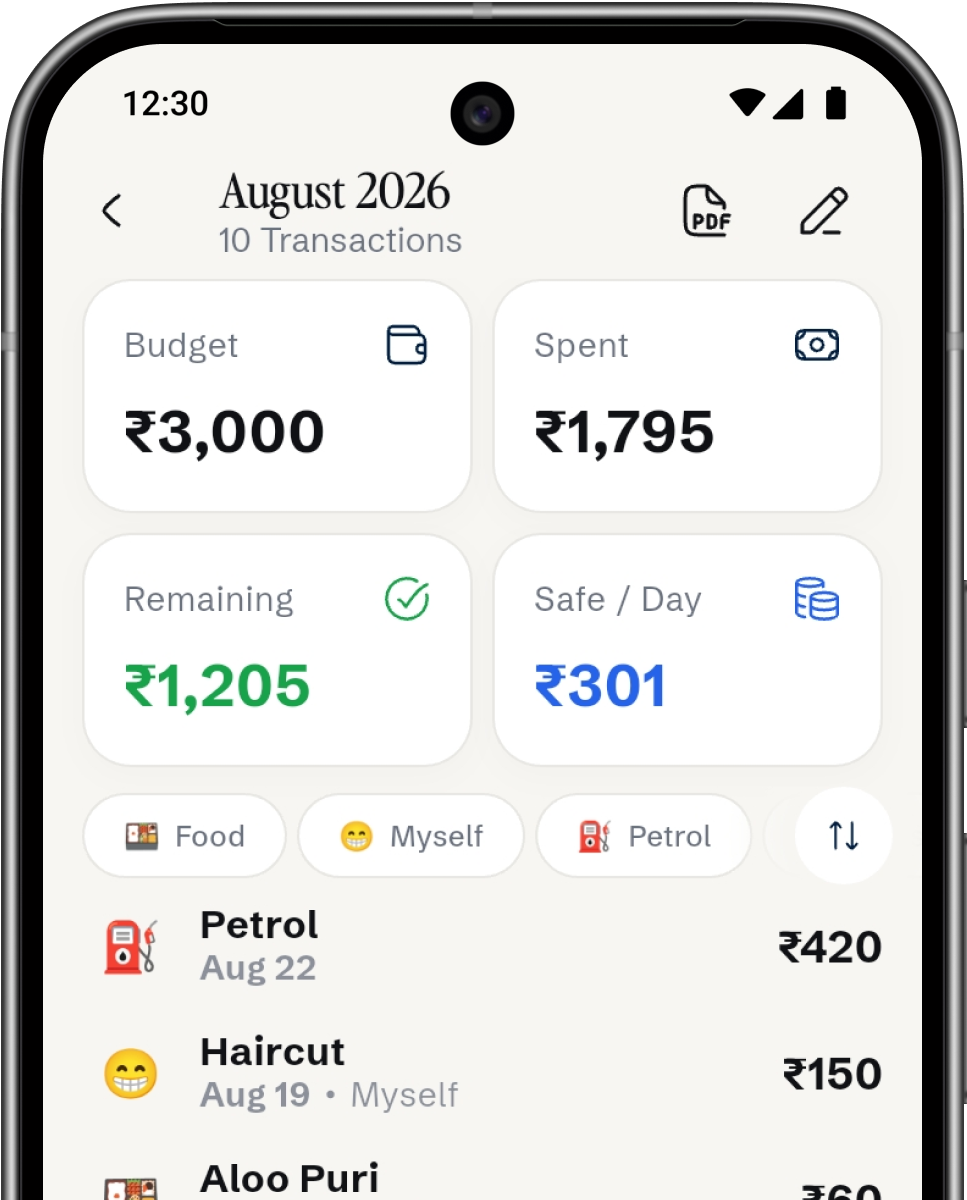
Budgetly monthly overview screen
Budgetly monthly overview screen showing budget, spent, remaining, and daily spending limit.
01 — Monthly Budget

Set your target and stay on track.

Set a monthly budget and instantly see your total spent, remaining balance, and a daily safe-to-spend limit that updates as you log expenses. Export your monthly summary as a PDF anytime.

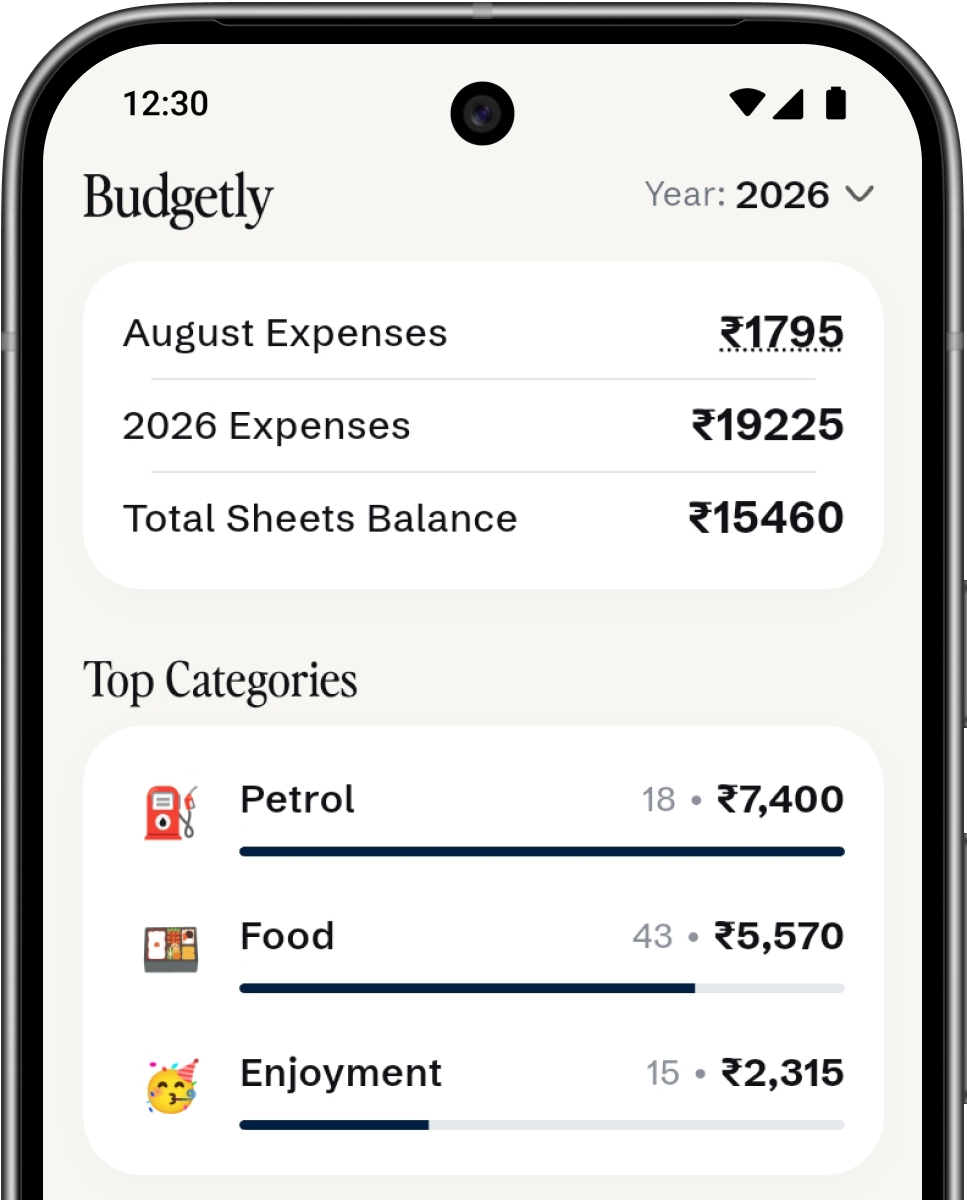
Budgetly analytics dashboard showing yearly totals and top spending categories.
02 — Smart Analytics

See where your money actually goes.

Get a clear breakdown of your spending for the month, year, or custom lists. Budgetly automatically highlights your top categories so you can understand your spending habits at a glance.

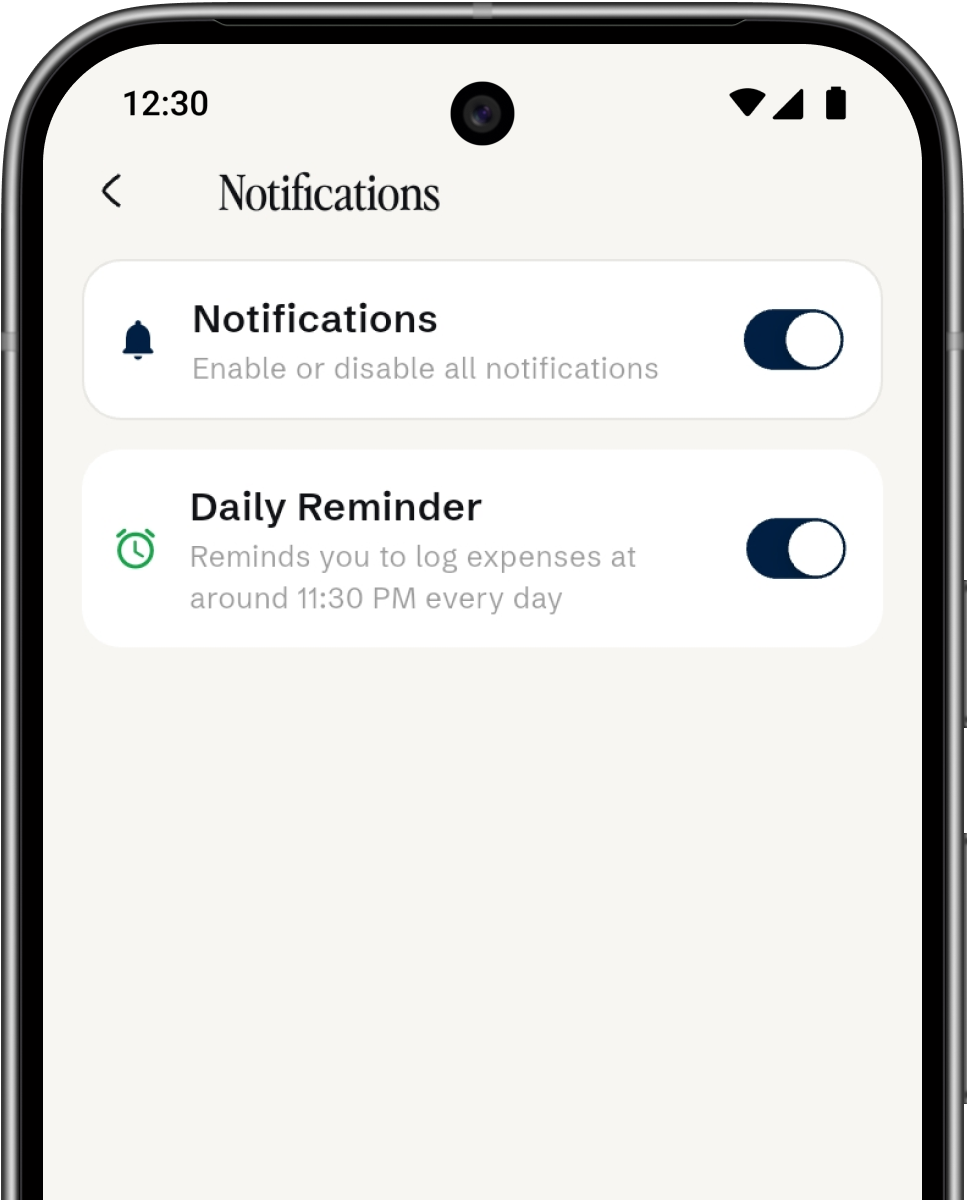
Budgetly notification settings screen with a daily reminder toggle.
03 — Daily Reminders

Never forget to log an expense.

Set a quick daily notification so you remember to record what you spent before your day ends. Turn it on or off anytime with a single tap.

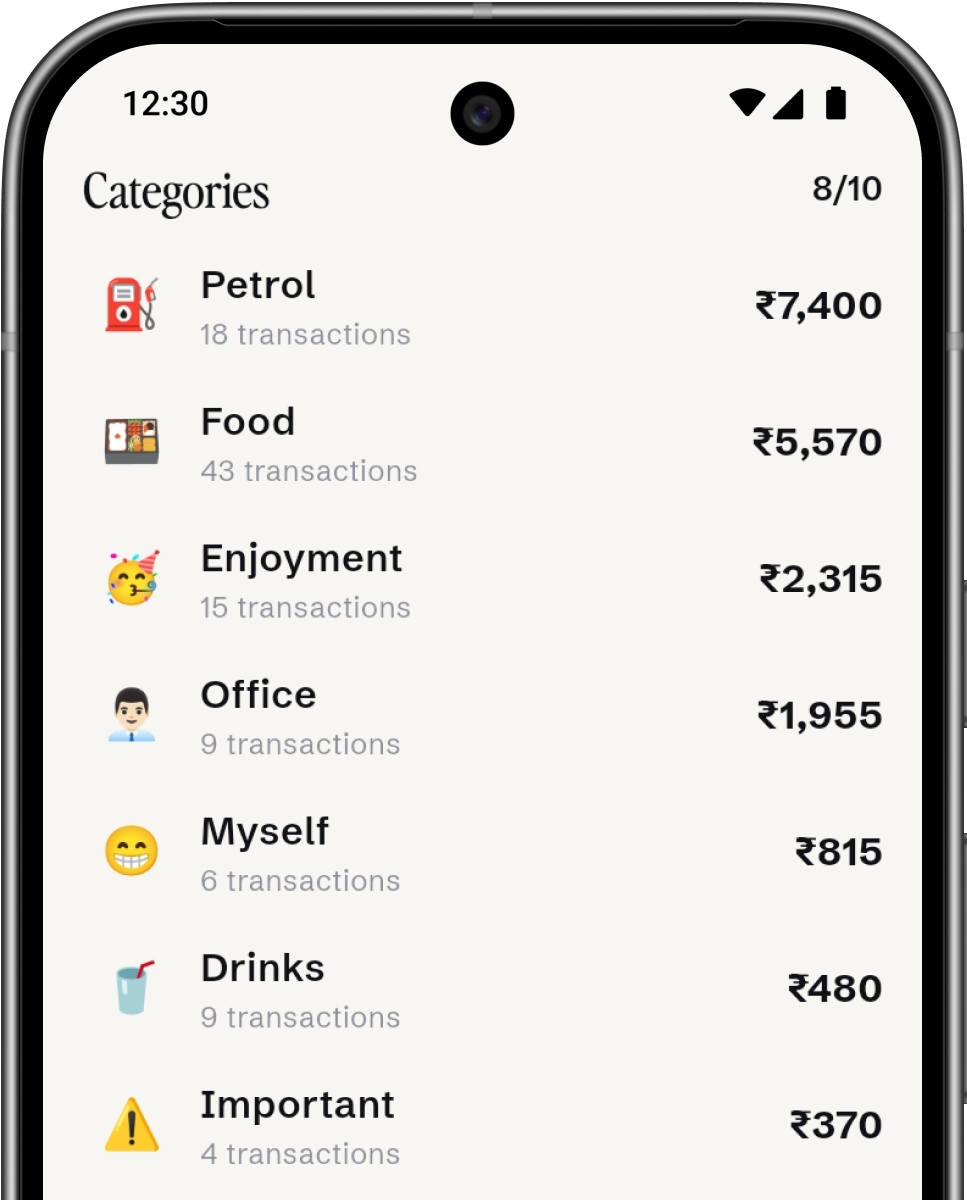
Budgetly categories screen with custom emoji icons and per-category totals.
04 — Custom Categories

Organize spending your way.

Create personalized categories for your lifestyle—like Food, Fuel, or Personal—complete with your favorite emojis. Easily track total amounts and transaction counts for each category.

Everything else

More features designed for daily clarity

Everything you need to stay on top of your money without unnecessary bloat.

PDF Reports & Exports

Export your monthly expenses into clean, printable PDF statements whenever you need physical or digital records.

Multiple Custom Sheets

Create separate expense sheets for vacations, side projects, house bills, or special trips to keep money organized.

Biometric App Lock

Protect your statement with fingerprint or Face Unlock on top of your device lock screen.

Lightning Quick Entry

Log your daily spending in seconds with a fast keypad and automatic category suggestions.

Google Sync & Backup

Your expenses automatically sync to your Google account, so you can restore data seamlessly on a new phone.

Zero Ads & No Bank Login

Built for total privacy. No bank logins, no ads, no subscriptions, and no tracking of your financial data.

No bank link. That's the point.

Your financial data stays yours.

Budgetly never asks for your bank login — you're the one entering every number. It runs on Firebase for authentication and syncing, with a lock screen standing between your statement and anyone who picks up your phone.

✓

Biometric app lock

Face ID or fingerprint required to reopen the app, on top of your device lock.

✓

Google Sign-In

Authentication handled by Firebase Auth — Budgetly never sees or stores your password.

✓

You control your data

Export or delete your records at any time from Settings.

Questions

Good to know

Is Budgetly free?

Yes, all of it. No trial, no paywall, no "premium" tier waiting behind a paywall. I built this for myself first.

Why isn't it on the Play Store?

It's a one-person project and Play Store listings take time and money I'd rather spend building. The APK on GitHub is always the latest version.

Is it safe to sideload?

The APK is built and published by me, straight from this GitHub repo — nothing else touches it. You can check the source yourself before installing if you'd like.

What happens if I lose my phone?

Your data lives in your account, not just on the device. Sign in again with Google on any phone to pick up where you left off.

Does Budgetly track or share my financial data?

Never. Budgetly does not connect to your bank accounts, sell your data, or show third-party ads. Everything you log stays completely private.

Can I export my monthly spending reports?

Yes! You can export your monthly expense summaries or custom sheet records as clean, printable PDF statements anytime from the app.

How does the daily safe-to-spend limit work?

Budgetly divides your remaining monthly budget by the number of days left in the month, automatically recalculating whenever you log a new expense.

Will my data stay safe when a new build is released?

Yes! Your data is securely synced to your Google account via Firebase, so installing new APK updates will never erase your spending history.

Latest Release - v1.6

Get Budgetly for Android

Track daily expenses against your monthly budget in 2 seconds. 100% free, offline-first, and completely private.

Android 8.0+ SHA-256 Verified 100% Private Free & Open Source

Direct distribution via GitHub Releases · No ads · No bank logins · No subscriptions required

Get in touch

Have questions, feedback, or feature ideas?

Budgetly is actively developed and maintained solo. If you ran into a bug, have a feature suggestion, or just want to talk, feel free to drop me an email.

vrushankbardolia.dev@gmail.com